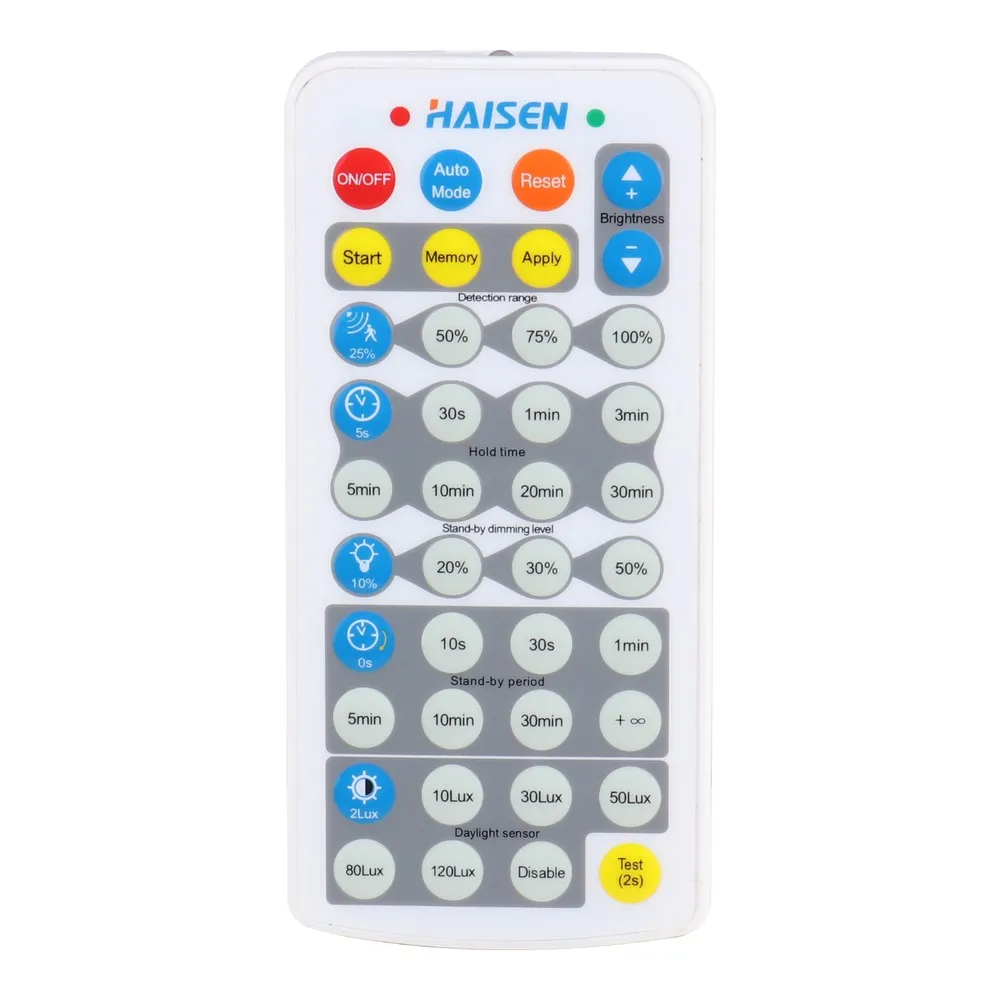
What it doesThe MS01-RC is a dedicated handheld programmer built to communicate with CSC LED's microwave motion sensor line. Instead of accessing a sensor physically embedded in a fixture housing or mounted on a high ceiling, the installer stands within range of the luminaire, presses START, selects the desired settings, saves them with MEMORY, then aims the remote at the fixture and presses APPLY to transmit the configuration wirelessly. The luminaire flickers once to confirm the settings have registered — a simple, tool-free feedback loop that takes the guesswork out of commissioning.
Modes and controlsBeyond programming, the remote includes an ON/OFF button that disables motion sensing entirely for manual control, an AUTO MODE button to return to the previously configured sensor behaviour, a RESET button that restores factory settings, brightness adjustment buttons, and a TEST function with a short 2-second hold time so technicians can quickly verify operation after installation. Pressing APPLY without first pressing MEMORY sends a one-time setting that isn't stored, which is useful for quick on-site trial adjustments.
Technical specificationsOrder code: MS01-RC
Detection range settings: 100% / 75% / 50% / 25%
Hold time settings: 5s / 30s / 1min / 3min / 5min / 10min / 20min / 30min
Stand-by dimming level: 0% / 20% / 30% / 50%
Stand-by period: 0s / 10s / 30s / 1min / 5min / 10min / 30min / +∞
Daylight sensor threshold: 2Lux / 10Lux / 30Lux / 50Lux / 80Lux / 120Lux / Disable
Test mode hold time: 2s
Brightness range (ON/OFF mode): 100% to 0% of luminaire power
Brightness range (Auto Mode): 100% to 60%
CompatibilityThe MS01-RC is required for proper configuration of the
MS04-MW-HW-DC motion sensor and the
HB7B-SENSOR twist-on motion sensor, and optional for the
MS01-MW-HW-DC motion sensor. Note that on the MS01-MW-HW-DC specifically, the sensor's minimum dim level is limited to 10% in ON/OFF mode and 60% in Auto Mode, rather than the full 0% range available on other models. One remote can be used to program an unlimited number of sensors on a site, making it an efficient tool for facilities with many fixtures to configure or adjust seasonally.
Documentation and supportA full installation and operating guide is available in the Documentation tab, covering wiring checks, step-by-step programming instructions, and a troubleshooting FAQ for common issues such as a sensor stuck at low brightness or a remote that doesn't appear to register. This guide also details the wiring diagrams needed for each compatible sensor model, so installers can confirm correct setup before programming.