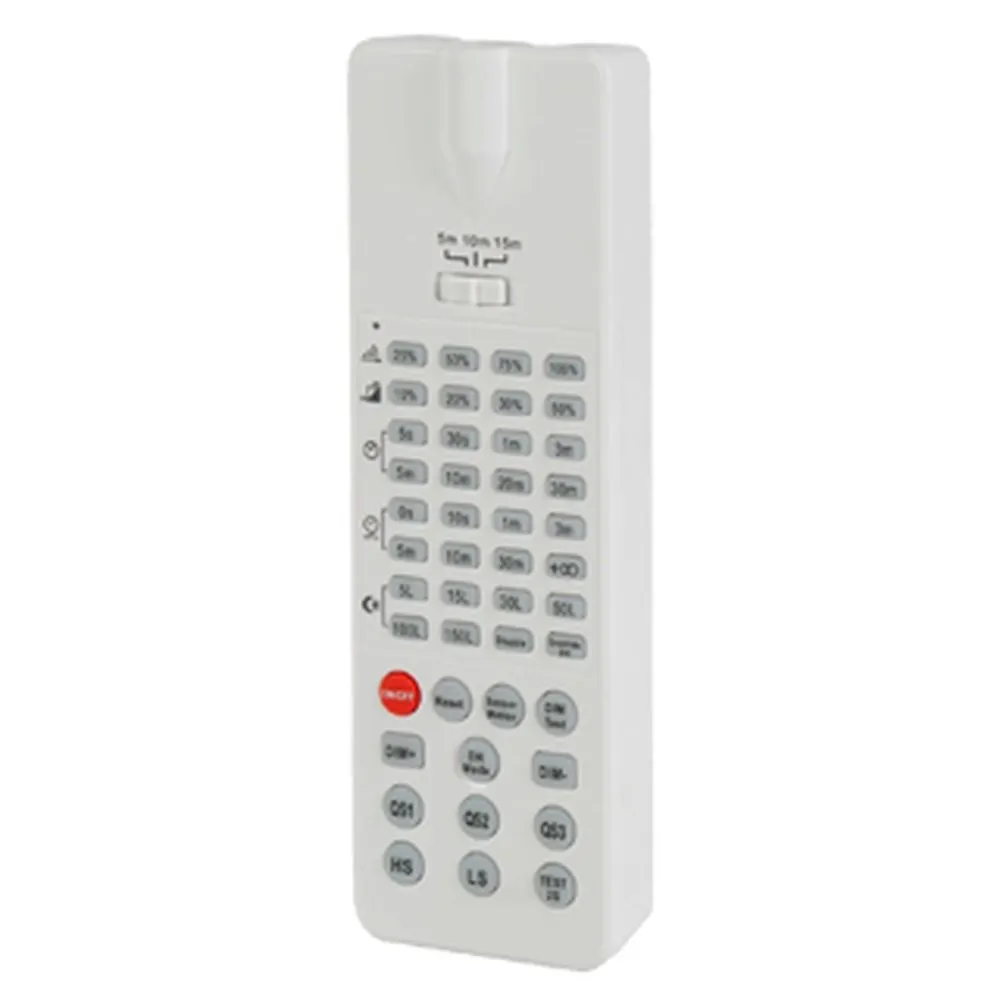
What this controller is
The DL-VTHO LOW VOLTAGE MICROWAVE SENSOR CONTROLLER from TUROLIGHT is a remote control unit for high bay microwave (occupancy) sensors. Rather than climbing to the fixture and flipping DIP switches one by one, the installer stays on the ground and transmits the settings up to the sensor. That turns a slow, ladder-bound commissioning job into a quick walk down the aisle — and it also means the settings can be revisited later, when the tenant changes, when racking is added, or when a space that once ran two shifts suddenly runs three.
Settings you control and factory defaults
The sensor ships with a known baseline so you always start from the same place: detection area 100%, hold time 5S, stand-by period 0s, stand-by dim level 10%, and the daylight sensor disabled. From there, the remote lets you narrow the detection area in spaces where coverage overlaps, extend hold time in slow-traffic aisles, set a stand-by period and stand-by dim level so the fixture idles at a low level instead of going fully dark, and enable the daylight sensor where skylights or loading-dock doors bring in free light.
Initialization and dimming behaviour
Two operating families are supported. With the on/off function and 3-step dimming function, the sensor turns the light on at 100% brightness at power-up, then switches it off after 10 seconds; during that initialization the sensor cannot detect movement. With the 2-step dimming function, the sensor again starts at 100% brightness and, after 10 seconds, dims to the low light level you set as the stand-by dim level. Because dimming performance could be different from different 0-10V drivers, testing on the actual fixture before rolling out a full project is the smart move — the documentation recommends testing 5 samples before mass application of the sensor in a new lighting project.
Installation and site conditions
The sensor should be installed by a professional electrician, with the power turned off before installing, wiring or changing the DIP switch settings. A stabilized DC power supply with stable output voltage and low ripple must be used: power supply ripple under 300mV and load current greater than 25mA. Keep at least 3m between any inductive sensors. Avoid mounting close to high-density surfaces such as metal, glass or concrete walls — microwaves reflect and false triggering can follow — and keep the sensor away from moving air and machinery such as fans, DC motors, sewer pipes and air outlets. A sensor behind a plastic or glass lampshade loses sensitivity: for every 3mm increase in thickness, sensitivity drops by 20%. Detection range depends on the moving object's speed and size, mounting height and angle, the site itself and nearby reflectors; published data is a typical value tested with a 165cm person in an open indoor area. Wall mounting gives a longer range than ceiling mounting, so reduce sensitivity there. This sensor is for indoor use only, since outdoor use affects the waterproof performance and wind, rain and moving objects cause false triggering.
Applications and documentation
Think warehouse racking aisles, parts departments, truck bays, gyms, arenas, manufacturing floors and large storage rooms — every place where LED high bay lights and round high bay LED lights stay on far longer than anyone actually needs them. In a Canadian climate, an unheated storage building lit only when someone walks in is money and lamp life saved. Full details, including the remote control layout, initialization sequence, factory settings and complete installation instructions for DL-VTHO/LV15M/CONTROLLER, are in the technical spec sheet available in the Documentation tab of this page.